
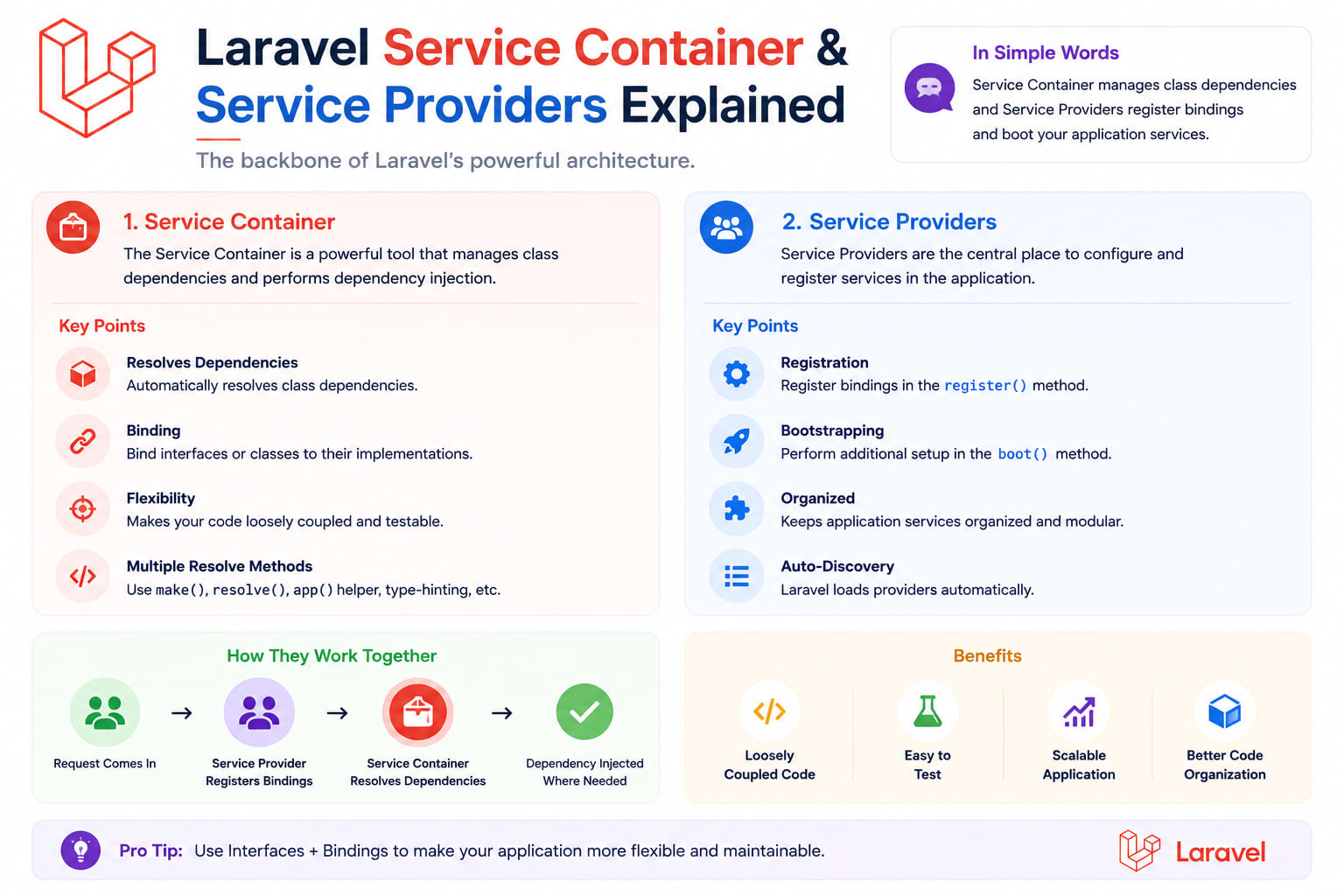
Laravel Service Container & Service Providers Explained
Most Laravel developers use the Service Container every single day without realizing it — every controller that type-hints a class in its constructor is already relying on it. But the moment you need to bind an interface to an implementation, swap a service based on environment, or build your own package, understanding what's actually happening under the hood stops being optional.
Table of Contents
- What the Service Container Actually Is
- Automatic Resolution — The Part You're Already Using
- Manual Binding:
bind(),singleton(), andinstance() - Binding Interfaces to Implementations
- Contextual Binding
- What Service Providers Actually Do
register()vsboot()— Why the Split Matters- Building a Custom Service Provider
- Deferred Providers
- How Facades Connect to All This
- Common Mistakes
- Wrapping Up
1. What the Service Container Actually Is
Laravel's Service Container is a dependency injection container — a central registry that knows how to build objects and resolve their dependencies for you. Instead of manually instantiating every class your code needs (new PaymentService(new StripeClient(new HttpClient()))), you describe what you need, and the container figures out how to build it.
This matters for one core reason: it decouples your code from concrete implementations. Your controller doesn't need to know how to build a PaymentService — it just asks for one, and the container hands over a fully-constructed instance, dependencies and all.
2. Automatic Resolution — The Part You're Already Using
If you've ever type-hinted a class in a controller constructor or method, you've used the container without calling it directly:
php
class OrderController extends Controller
{
    public function __construct(protected OrderRepository $orders)
    {
        // Laravel resolves OrderRepository automatically
    }

    public function show(Request $request, PaymentService $payments)
    {
        // Method injection works too — resolved per request
    }
}
For any class with no interface dependencies and a straightforward constructor, Laravel's container uses PHP's reflection to see what's needed and builds it automatically — no configuration required. This is called automatic (or "zero") resolution.
3. Manual Binding: bind(), singleton(), and instance()
Automatic resolution breaks down the moment a class depends on an interface rather than a concrete class, or when you need control over how something gets built. That's when you register a binding, usually inside a service provider's register() method:
php
// A new instance every time it's resolved
$this->app->bind(ReportGenerator::class, function ($app) {
    return new ReportGenerator($app->make('config')->get('reports.timezone'));
});

// The SAME instance every time it's resolved — a true singleton
$this->app->singleton(CacheManager::class, function ($app) {
    return new CacheManager($app->make('redis'));
});

// Bind an already-created object instance directly
$this->app->instance(FeatureFlags::class, new FeatureFlags($flagsFromApi));
Rule of thumb: use singleton() for anything expensive to construct, or anything that needs to hold shared state across a single request — a database connection manager, a cache client, a per-request "current tenant" object. Use bind() when you genuinely want a fresh instance every time.
4. Binding Interfaces to Implementations
This is the single most common real-world reason to touch the container directly. Say you have an interface so you can swap payment providers without touching your controllers:
php
interface PaymentGateway
{
    public function charge(int $amountInCents): bool;
}

class StripeGateway implements PaymentGateway
{
    public function charge(int $amountInCents): bool { /* ... */ }
}

class RazorpayGateway implements PaymentGateway
{
    public function charge(int $amountInCents): bool { /* ... */ }
}
Bind the interface to whichever implementation should be active:
php
$this->app->bind(PaymentGateway::class, RazorpayGateway::class);
Now, anywhere in your app that type-hints PaymentGateway, Laravel hands over a RazorpayGateway instance — and switching to Stripe later is a one-line change in the service provider, not a search-and-replace across your entire codebase.
5. Contextual Binding
Sometimes different parts of your app need different implementations of the same interface. Contextual binding handles exactly this:
php
$this->app->when(RefundController::class)
    ->needs(PaymentGateway::class)
    ->give(StripeGateway::class);

$this->app->when(SubscriptionController::class)
    ->needs(PaymentGateway::class)
    ->give(RazorpayGateway::class);
RefundController gets Stripe, SubscriptionController gets Razorpay, and neither controller has any idea the other exists or that a decision was even made — it's entirely handled at the binding level.
6. What Service Providers Actually Do
Service Providers are the only place bindings should be registered — they're Laravel's central bootstrapping mechanism. Every core Laravel feature — routing, the queue, the cache, Eloquent — is wired up through a service provider. Your config/app.php (or bootstrap/providers.php in newer versions) lists every provider that gets booted on each request.
Think of a service provider as answering two separate questions: "What do I need to register?" and "What do I need to do once everything else is registered too?" — which is exactly the split between register() and boot().
7. register() vs boot() — Why the Split Matters
php
class PaymentServiceProvider extends ServiceProvider
{
    public function register(): void
    {
        // ONLY bind things here. Never resolve other services —
        // you can't guarantee they're registered yet.
        $this->app->bind(PaymentGateway::class, RazorpayGateway::class);
    }

    public function boot(): void
    {
        // Safe to resolve other bound services here —
        // ALL providers have finished registering by this point.
        $gateway = $this->app->make(PaymentGateway::class);
        $gateway->setWebhookSecret(config('services.razorpay.webhook_secret'));
    }
}
The rule that trips people up: register() runs for every provider before boot() runs for any provider. If you try to resolve another service inside register(), you're gambling on provider load order — it might work today and break the moment someone reorders the provider list. Bindings go in register(); anything that needs other services already resolved goes in boot().
8. Building a Custom Service Provider
Generate one with Artisan:
bash
php artisan make:provider PaymentServiceProvider
Register it in bootstrap/providers.php (Laravel 11+) or config/app.php (older versions):
php
return [
    App\Providers\PaymentServiceProvider::class,
];
A realistic example that also publishes a config file for a small internal package:
php
class PaymentServiceProvider extends ServiceProvider
{
    public function register(): void
    {
        $this->mergeConfigFrom(__DIR__.'/../config/payments.php', 'payments');

        $this->app->singleton(PaymentGateway::class, function ($app) {
            $driver = $app->make('config')->get('payments.default');
            return match ($driver) {
                'stripe' => new StripeGateway(config('payments.stripe.key')),
                'razorpay' => new RazorpayGateway(config('payments.razorpay.key')),
            };
        });
    }

    public function boot(): void
    {
        $this->publishes([
            __DIR__.'/../config/payments.php' => config_path('payments.php'),
        ], 'config');
    }
}
9. Deferred Providers
If a provider's only job is registering bindings that aren't needed on every single request, you can defer loading it until something actually asks for it — a small but real performance win on high-traffic routes that never touch that service:
php
class ReportingServiceProvider extends ServiceProvider implements DeferrableProvider
{
    public function provides(): array
    {
        return [ReportGenerator::class];
    }

    public function register(): void
    {
        $this->app->bind(ReportGenerator::class, function ($app) {
            return new ReportGenerator();
        });
    }
}
Laravel only boots this provider the first time something actually resolves ReportGenerator::class, not on every request across the whole app.
10. How Facades Connect to All This
Facades like Cache::get() or Auth::user() aren't magic — they're a static-style proxy to a class resolved from the container. Cache::get('key') resolves the cache binding from the container and calls get() on it. Under the hood, every facade call is really just app('cache')->get('key') with nicer syntax. Understanding the container is what makes facades stop feeling like magic and start feeling like a convenience wrapper.
11. Common Mistakes
- Resolving services inside
register()— always causes intermittent bugs tied to provider boot order - Using
bind()for something expensive to construct — a fresh HTTP client or DB connection on every single resolution adds up fast - Binding concrete classes when there's no interface — if there's only one implementation and it'll never need to be swapped, automatic resolution already handles it; don't add binding ceremony for no reason
- Forgetting to register a custom provider — a provider file that exists but isn't listed in
bootstrap/providers.phpsimply never runs, silently
12. Wrapping Up
The Service Container is Laravel's quiet backbone — you can build simple apps without ever touching it directly, but the moment you need to swap an implementation, decouple a package from a specific vendor, or make your code genuinely testable via interface mocking, this is the mechanism that makes it possible. Start by binding one interface to one implementation in a dedicated provider — everything else here builds naturally from that first step.