Product
Live
InvoiceFlow — SaaS Invoice Management Platform
A powerful, full-featured SaaS invoicing platform built with Laravel 13
InvoiceFlow — SaaS Invoice Management PlatformA powerful, full-featured SaaS invoicing platform built with Laravel 13Create, send, and manage invoices — with recurring billing, payment links, client management, and a complete admin panel.🚀 Features Overview🧾...
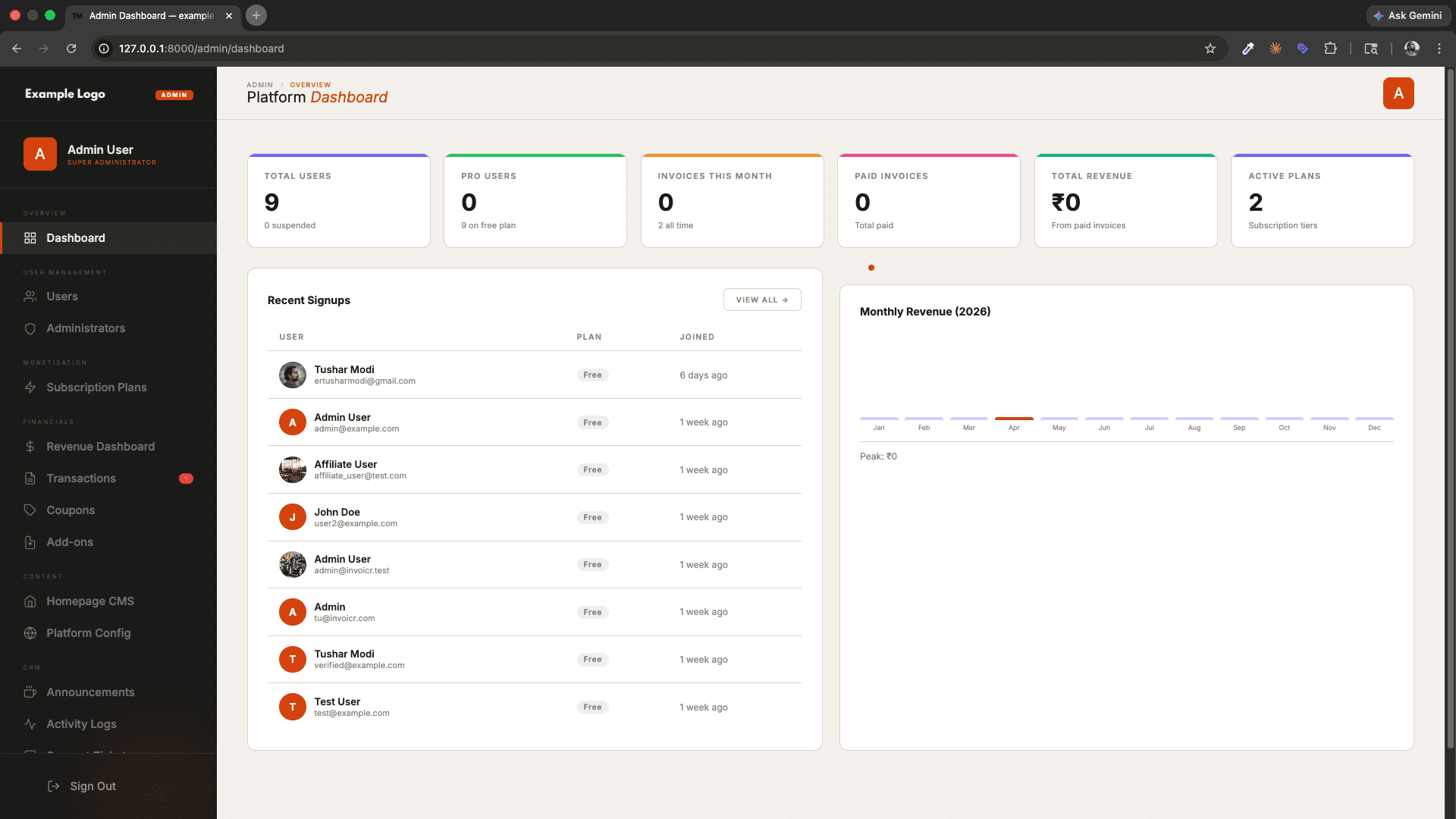
22 Screenshots
Screenshots
How It Looks.
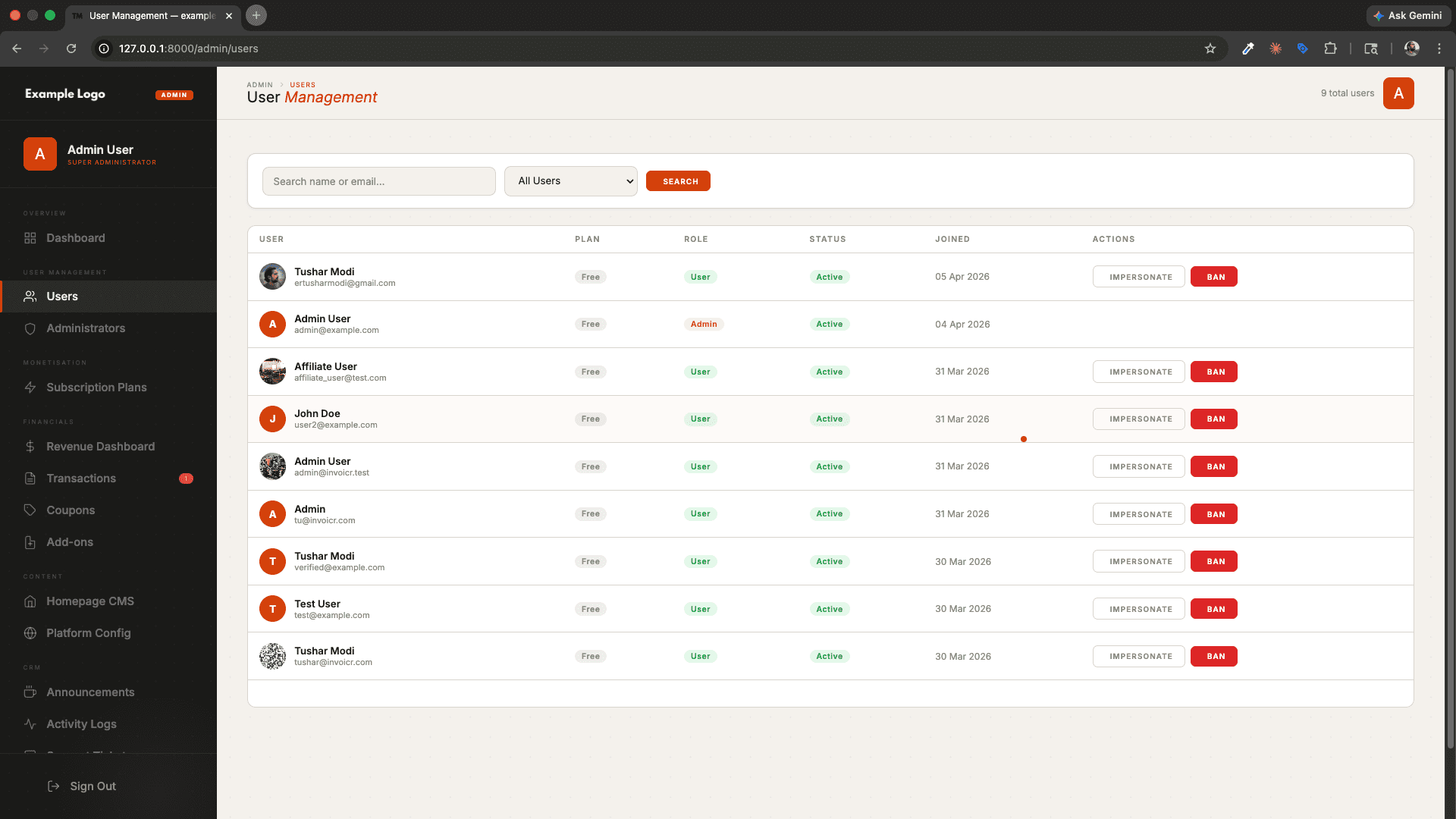
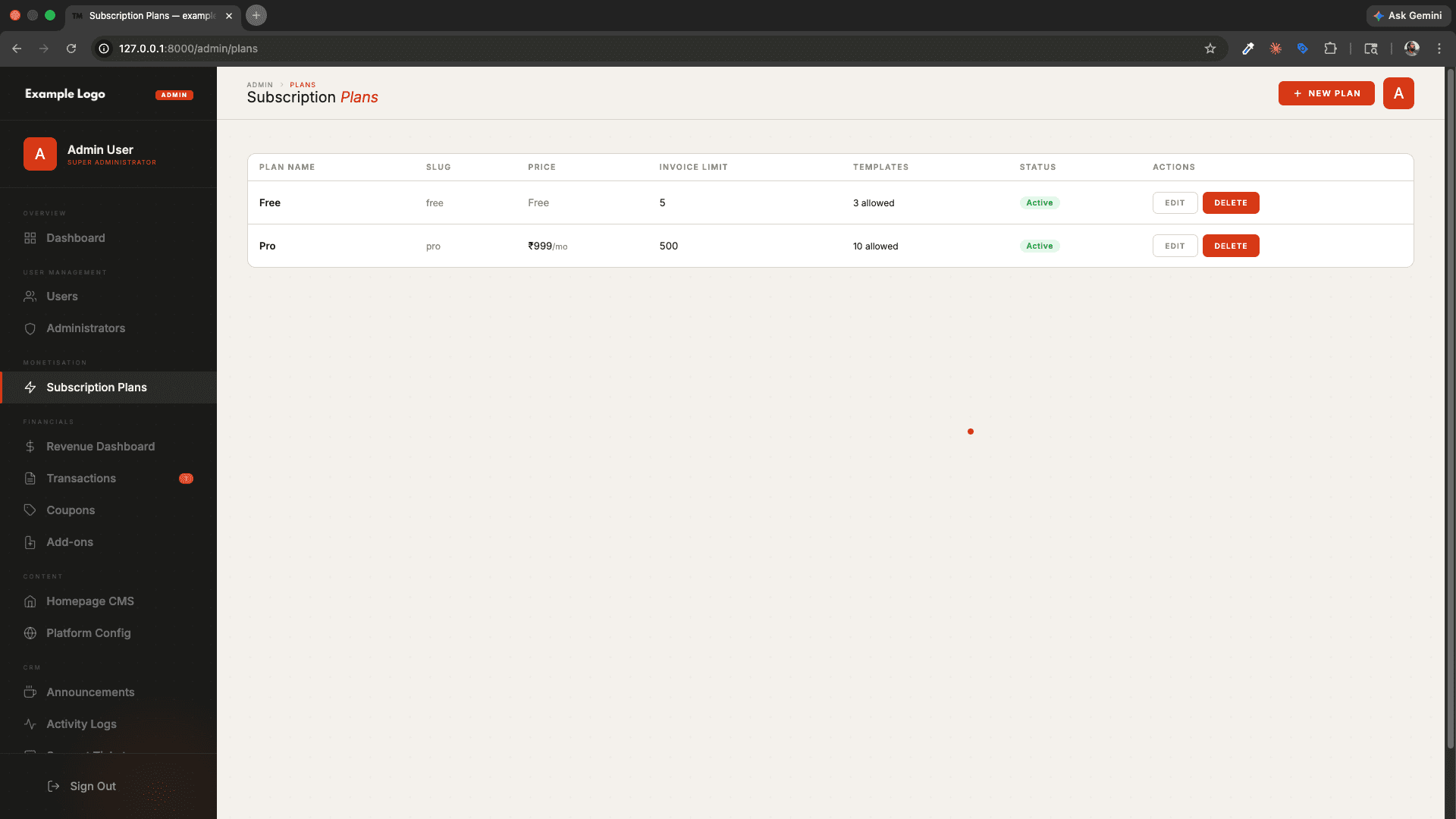
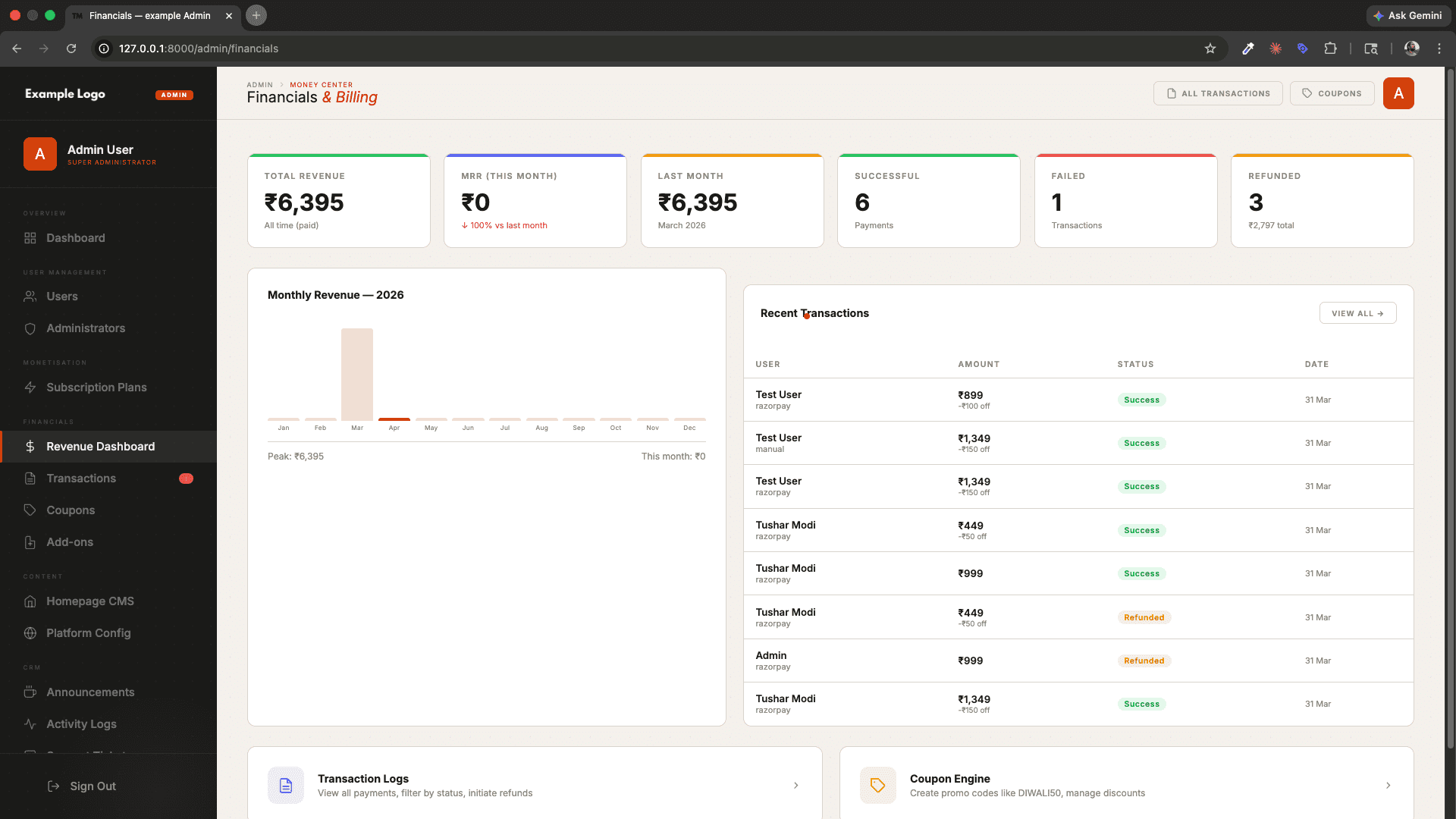
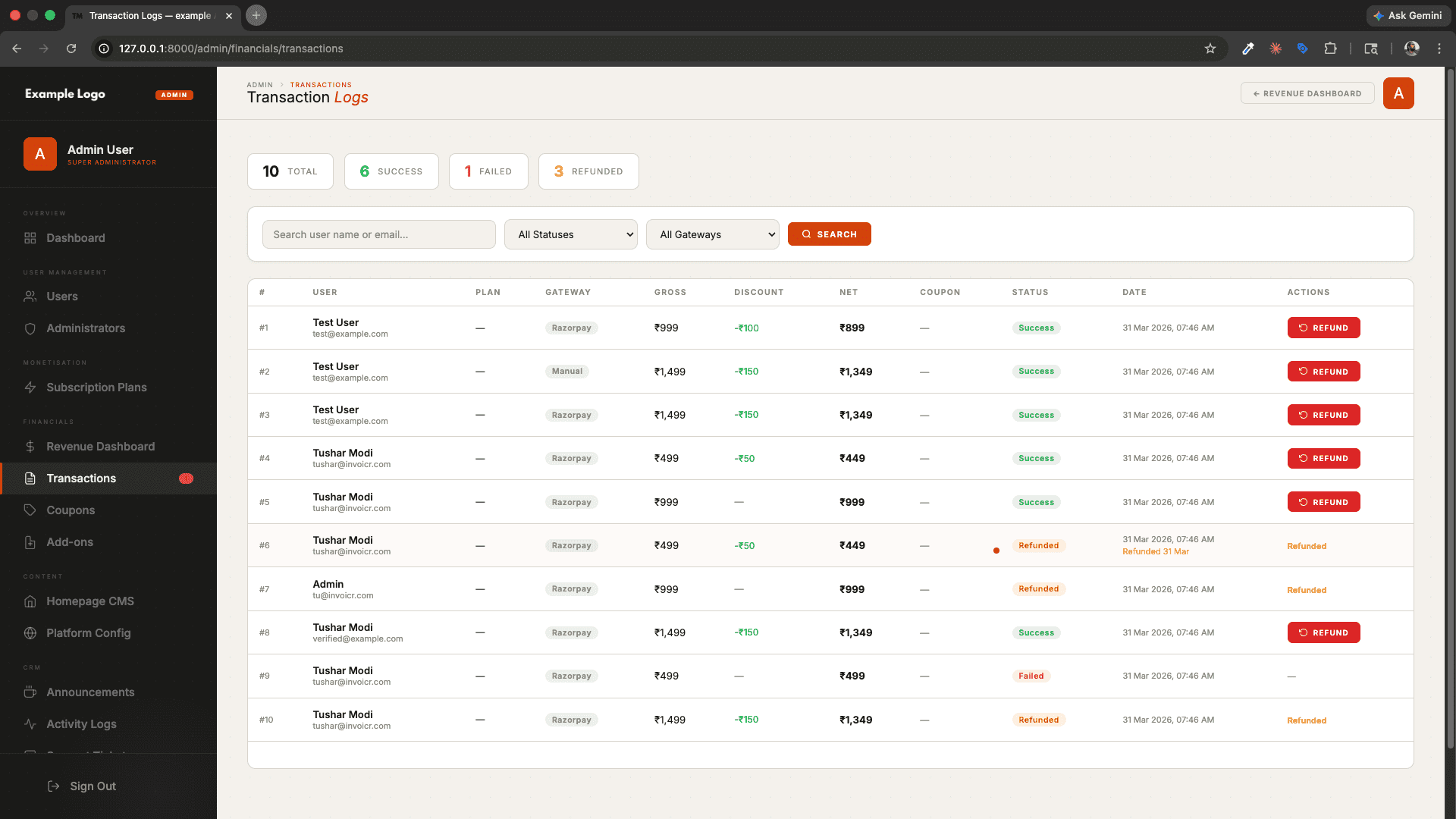
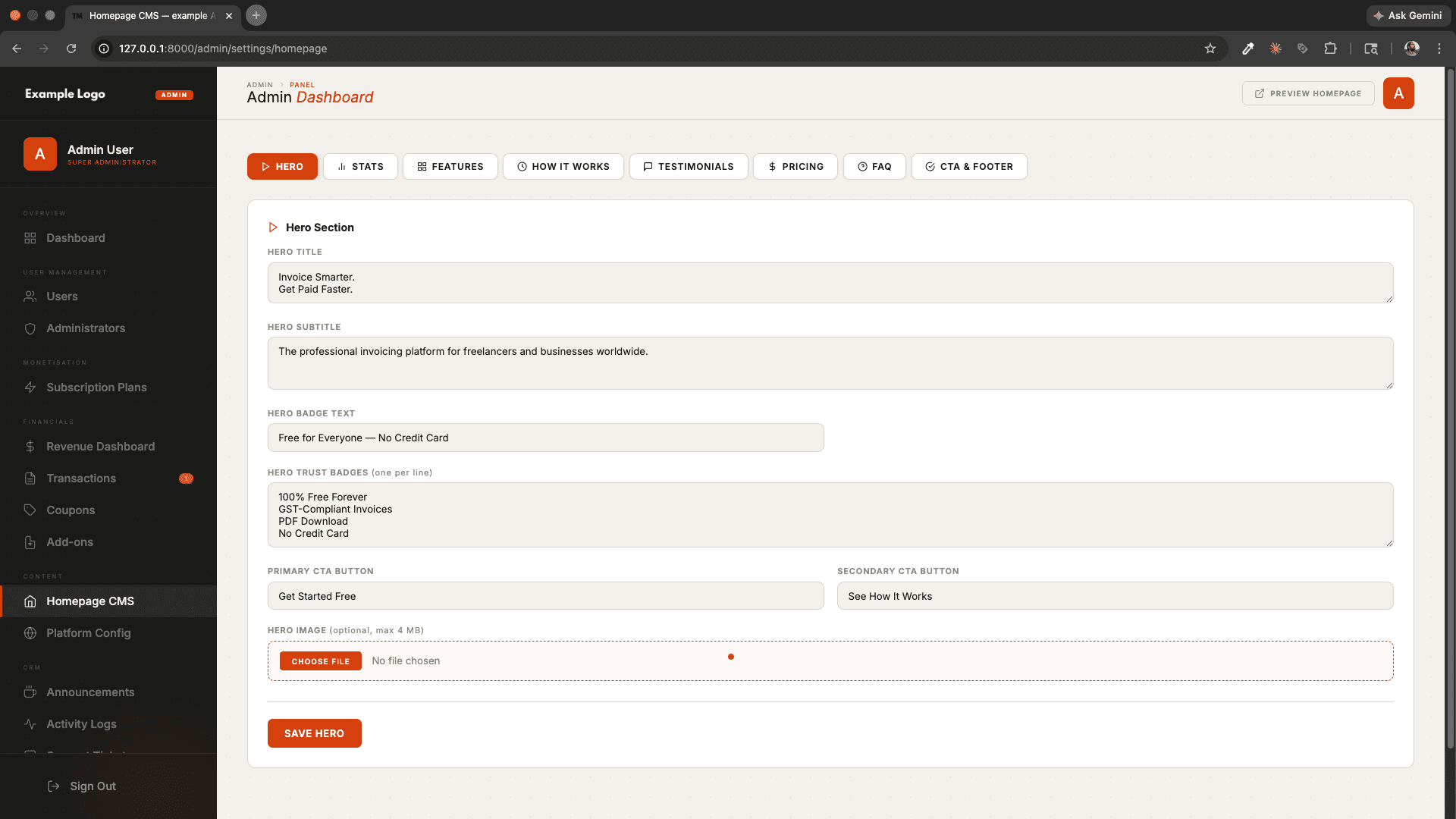
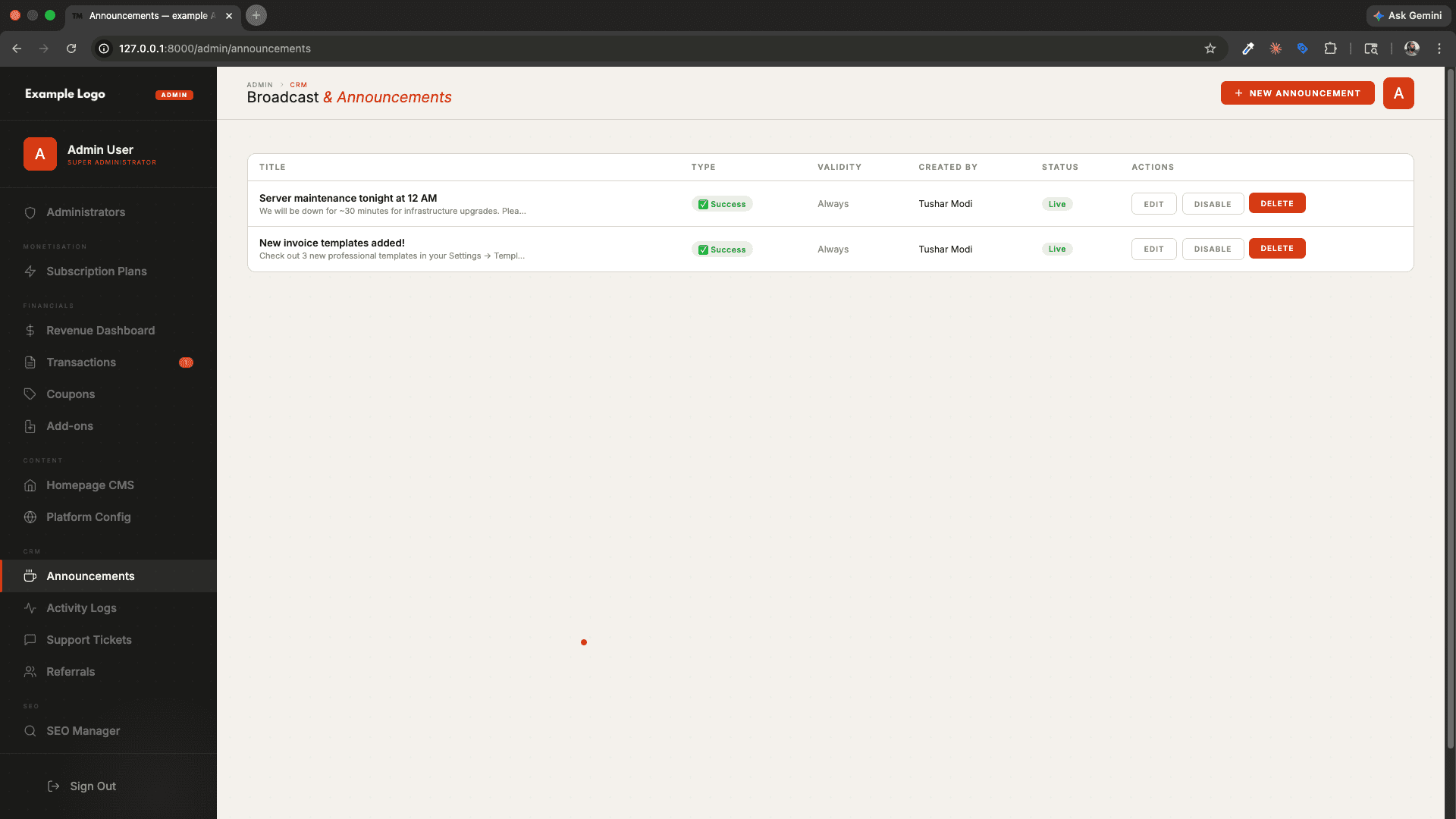
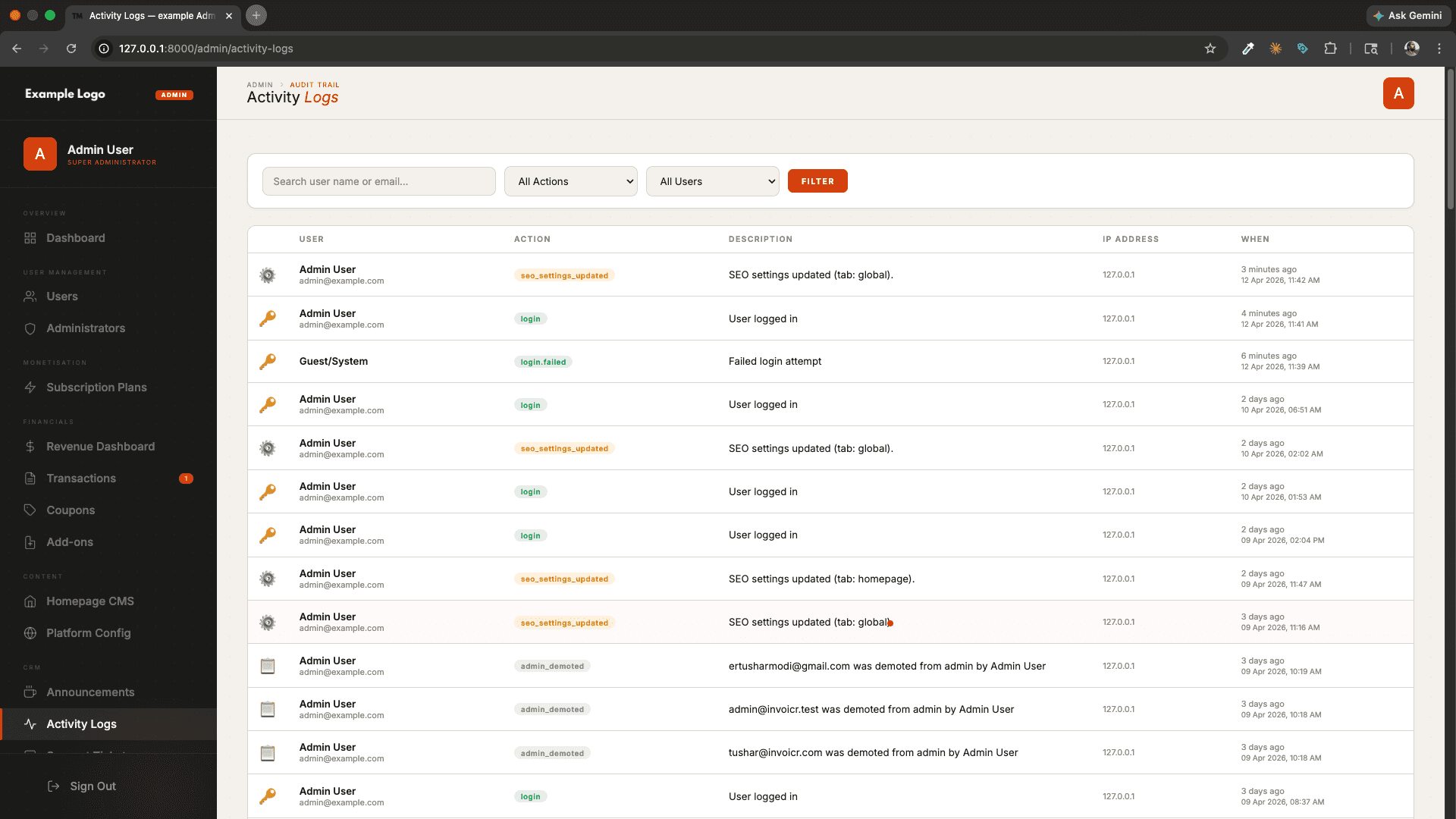
Overview
What It Does.
InvoiceFlow — SaaS Invoice Management Platform
A powerful, full-featured SaaS invoicing platform built with Laravel 13
Create, send, and manage invoices — with recurring billing, payment links, client management, and a complete admin panel.
🚀 Features Overview
🧾 Invoice Management
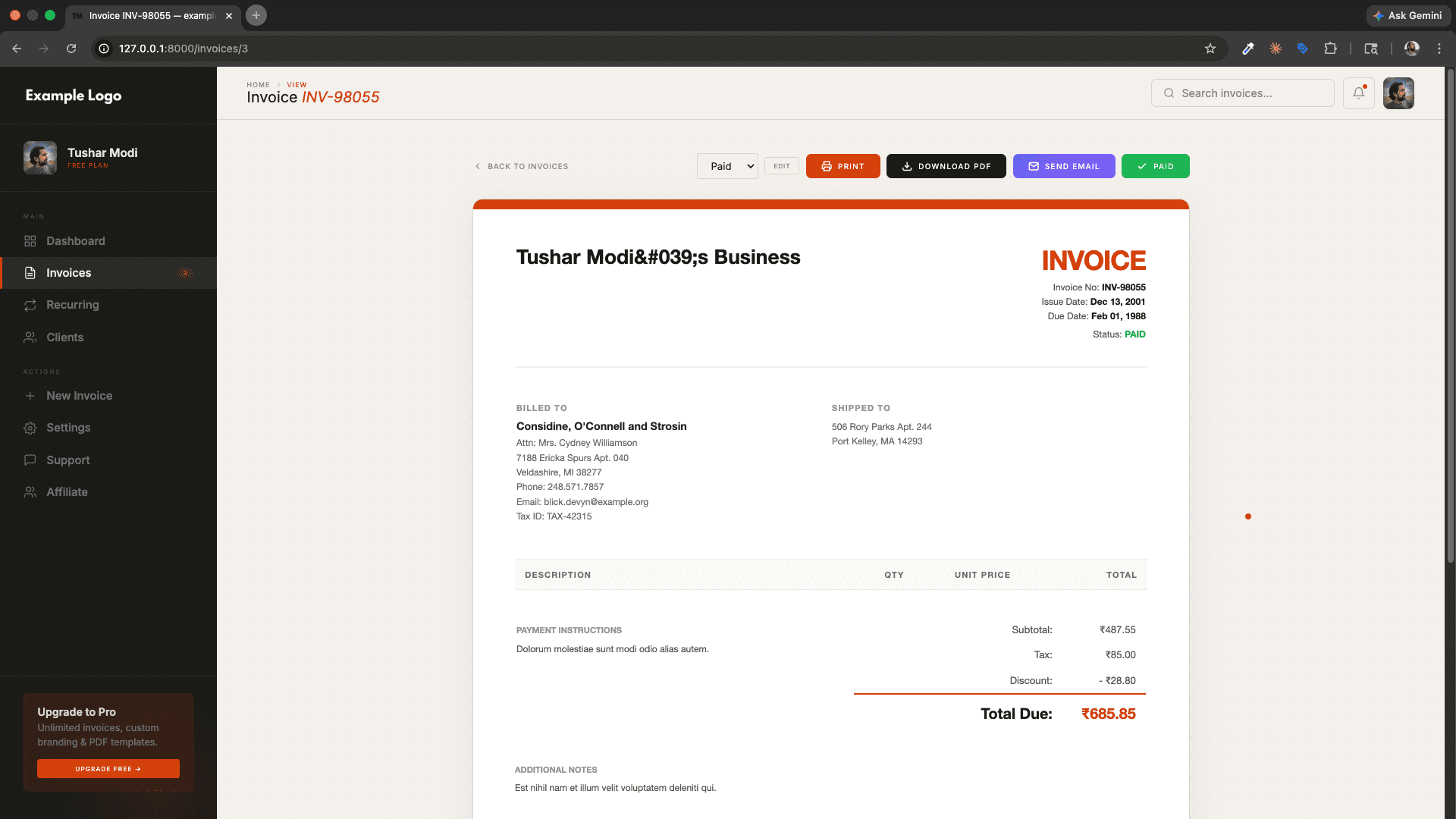
- Create & Edit Invoices — Add line items, quantities, rates, taxes, and discounts with a live running total.
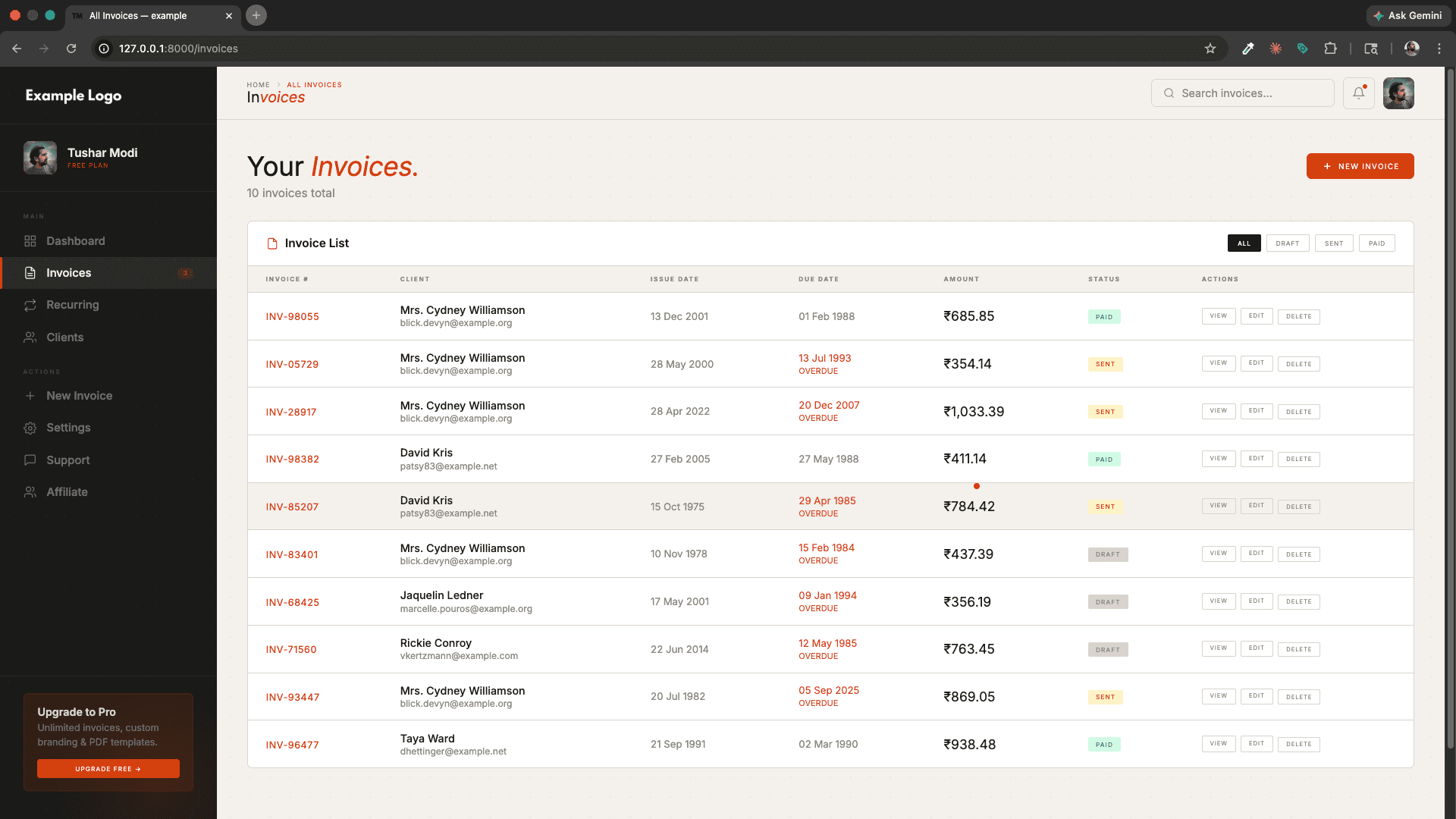
- Multiple Invoice Statuses — Track invoices as
Draft,Sent,Paid, orOverdue. - Invoice Templates — Choose from multiple beautiful invoice templates (e.g., Modern, Classic).
- PDF Export — Download any invoice as a professionally formatted PDF using DomPDF.
- Send Invoice via Email — Email invoices directly to clients with one click from within the app.
- Invoice Numbering — Auto-generated unique invoice numbers (e.g.,
INV-00001). - Terms & Conditions / Payment Instructions — Attach custom terms and payment notes to each invoice.
- Company & Client Tax Numbers — Include GST / VAT / Tax reference numbers on invoices.
- Invoice Limit Middleware — Restrict invoice creation based on the user's subscription plan.
🔁 Recurring Invoices
- Automated Recurring Billing — Set up invoices to auto-generate on a recurring schedule (weekly, monthly, etc.).
- Full CRUD Management — Create, view, edit, and delete recurring invoice templates.
- Linked to Clients & Company — Each recurring invoice is scoped to the user's company and a specific client.
💳 Online Payments via Razorpay
- Secure Public Payment Links — Generate tokenized, expiry-aware payment links for clients. No login required on the client side.
- One-Click Payment — Clients can pay directly from the link using cards, UPI, net banking, and wallets.
- Razorpay Order Creation — Automatically creates a Razorpay order when the client opens the payment link.
- Webhook Integration — Real-time payment status updates via signed Razorpay webhooks.
- Payment Status Tracking — Stores
razorpay_order_id,razorpay_payment_id, and order metadata on the invoice. - Link Rotation & Expiry — Payment links expire and can be rotated for security.
👥 Client Management
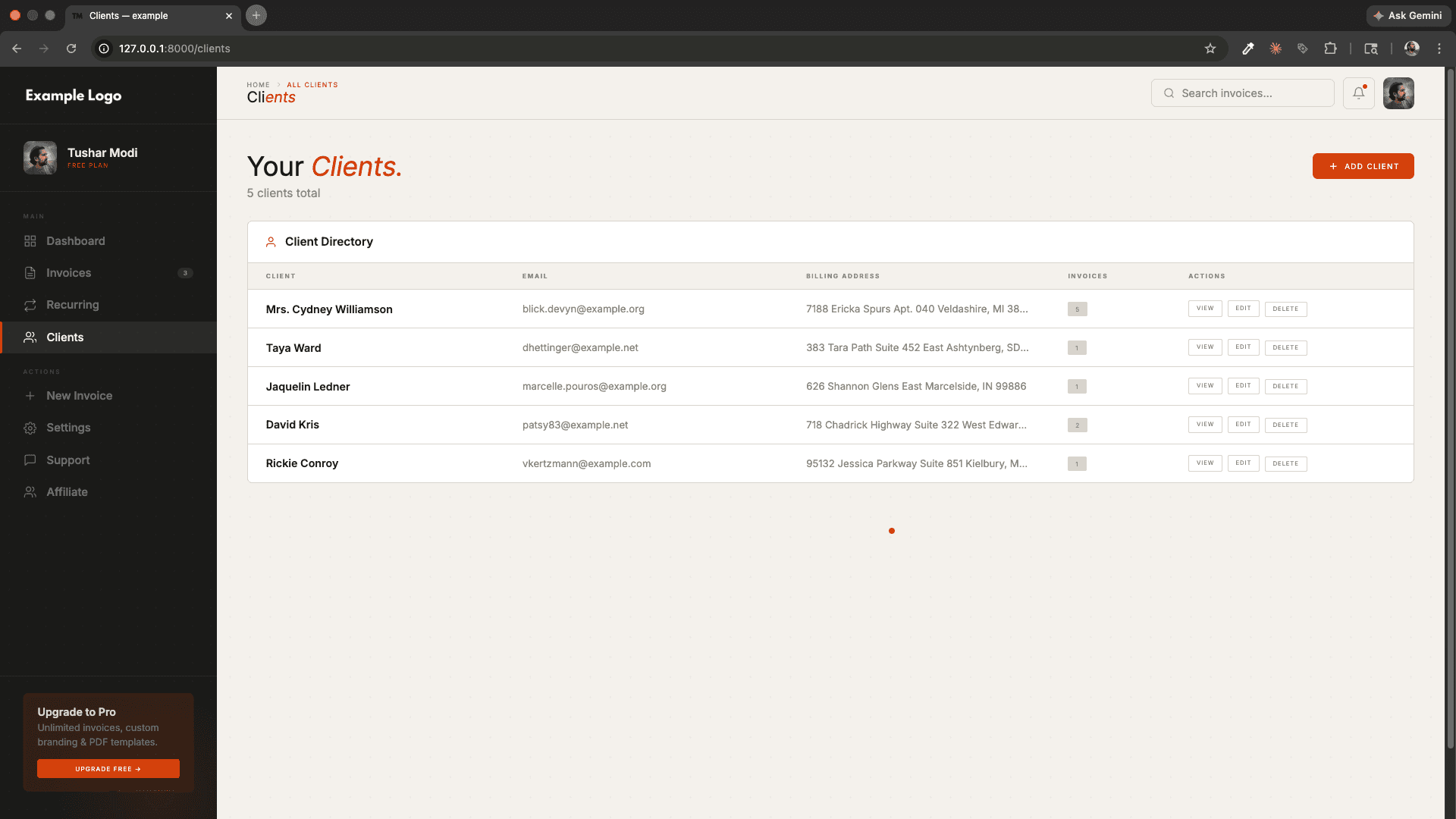
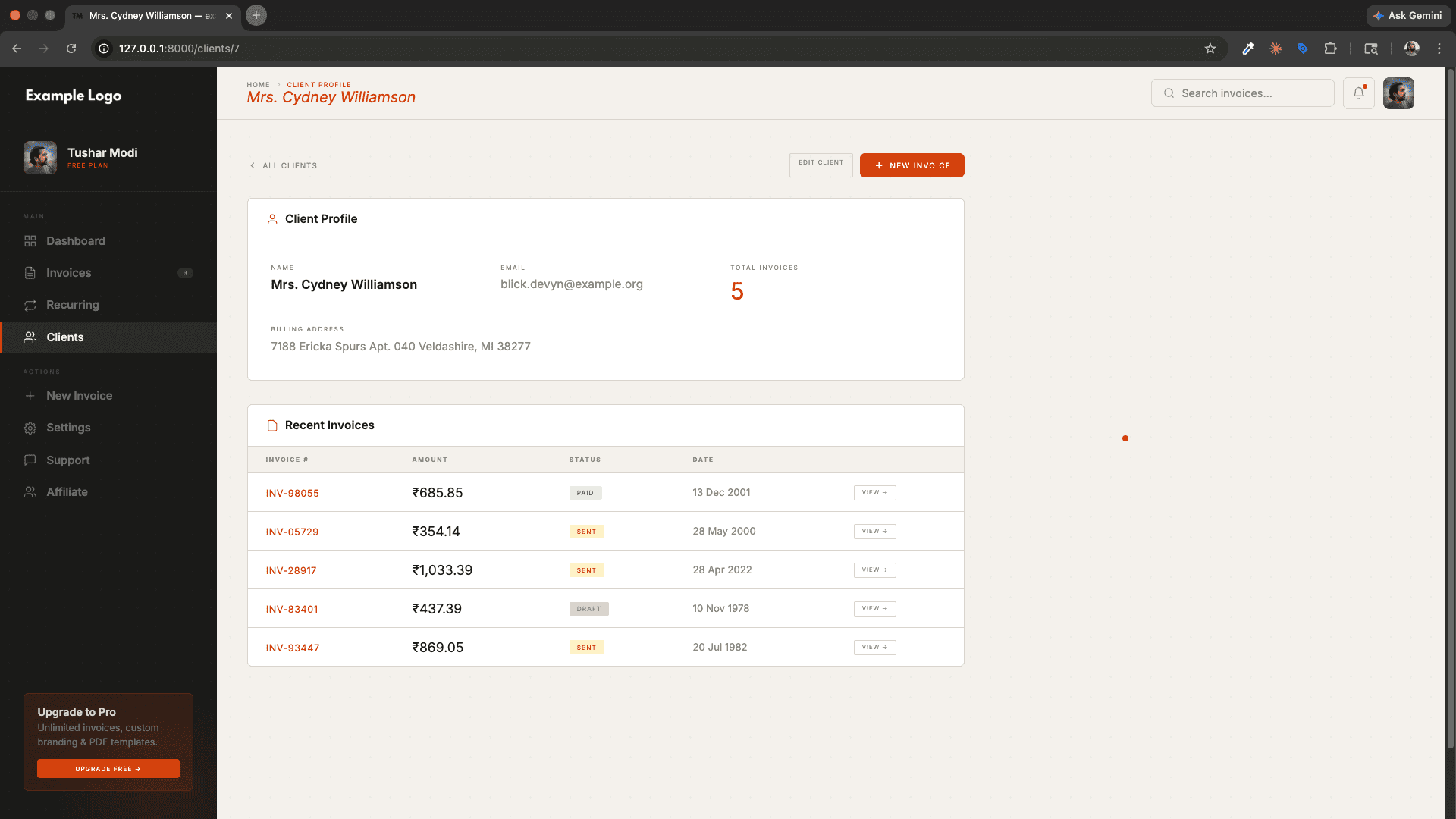
- Full Client CRUD — Add, edit, view, and delete clients with complete profile information.
- Client Details — Name, email, phone, company name, billing address, shipping address, and tax number.
- Per-Company Scoping — Clients are isolated per company using Laravel's Global Scope (multi-tenant architecture).
- Client Invoice History — Each client has a related list of all their invoices.
📊 Dashboard & Analytics
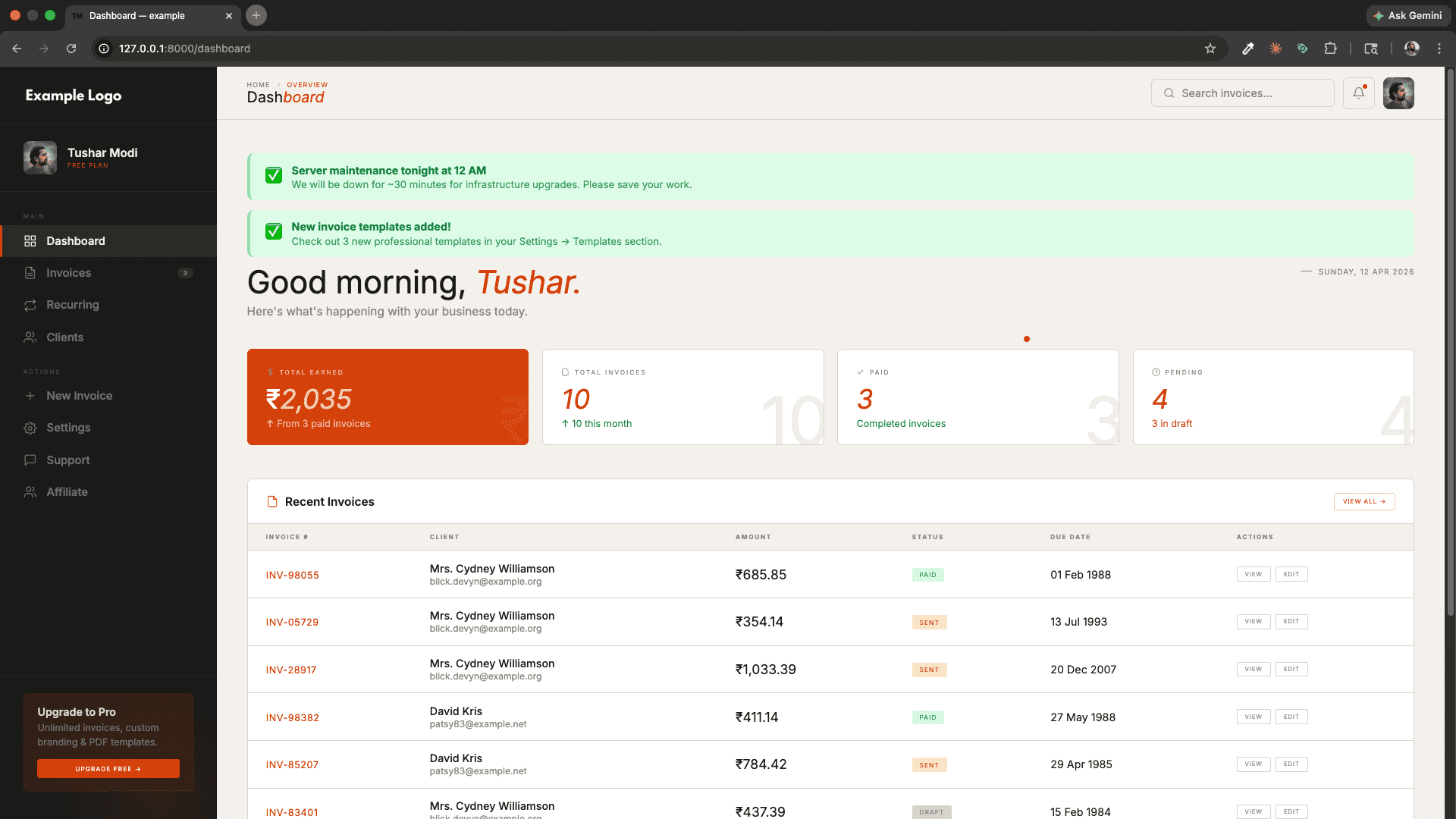
- Business Overview — At-a-glance stats: total invoices, paid, pending, draft, total earned, and total clients.
- Monthly Invoice Count — Instantly see how many invoices were raised in the current month.
- Recent Invoices Widget — Latest 10 invoices shown with client name, amount, and status.
- Company-Aware — The dashboard shows zero stats gracefully when no company is set up yet.
⚙️ Company & Profile Settings
- Company Profile — Set company name, logo, address, phone, email, tax number, website, and default currency.
- Invoice Template Preference — Choose a default invoice template stored per company.
- Profile Image Upload — Users can upload and manage their profile picture.
- Account Settings — Update name, email, and password from the settings page.
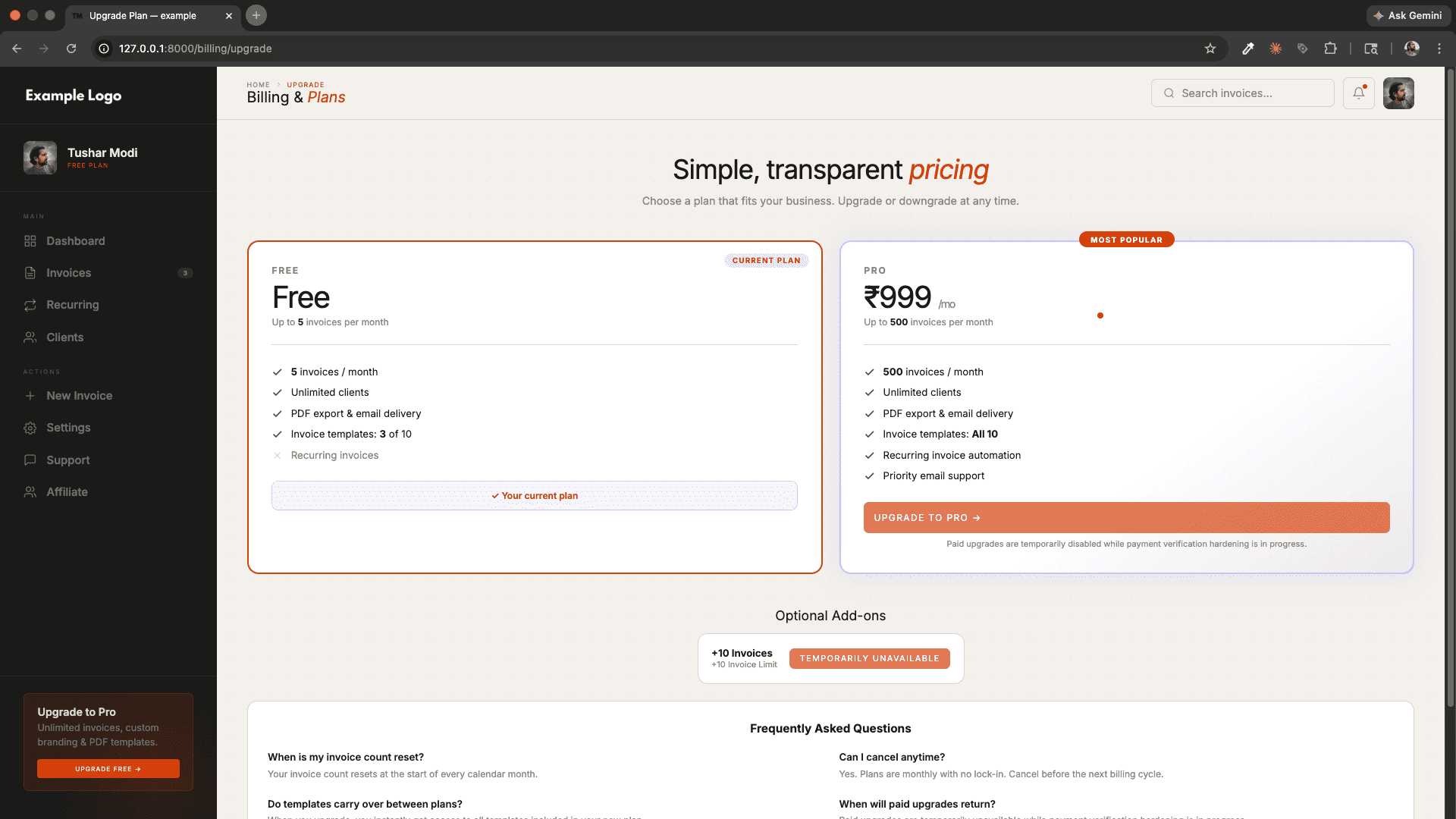
💰 Subscription & Billing System
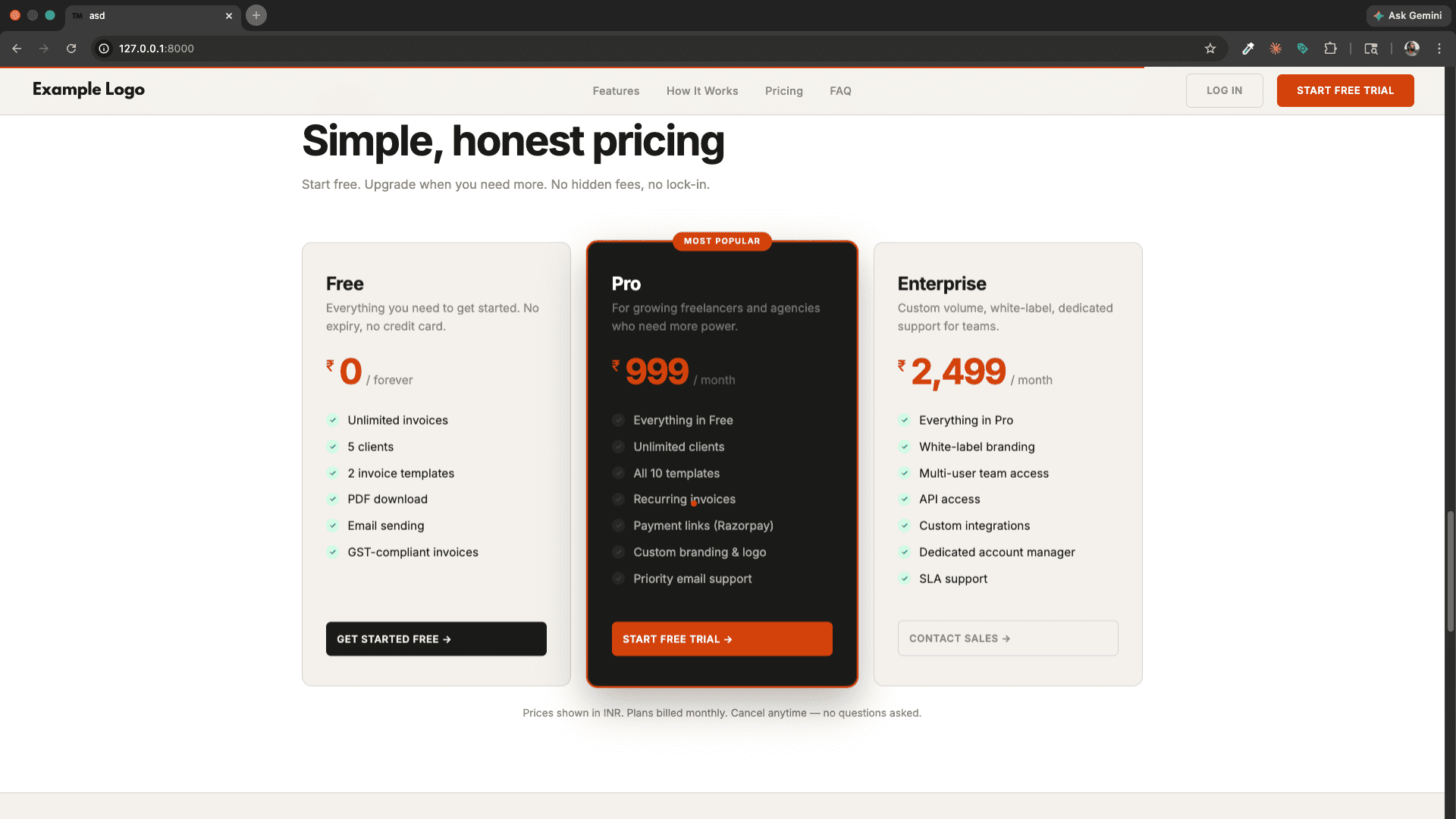
- Subscription Plans — Multiple plans (Free, Pro, Enterprise etc.) with configurable features and invoice limits.
- Upgrade Flow — Users can upgrade their plan directly from the billing page.
- Razorpay Subscription Payment — Billing payments are processed securely via Razorpay.
- Add-ons — Users can purchase optional add-ons (extra features or capacity) on top of their main plan.
- Coupon / Promo Codes — Apply discount coupons at checkout with percentage or flat discount support.
- Transaction History — Full ledger of all subscription payments with status (success, failed, refunded).
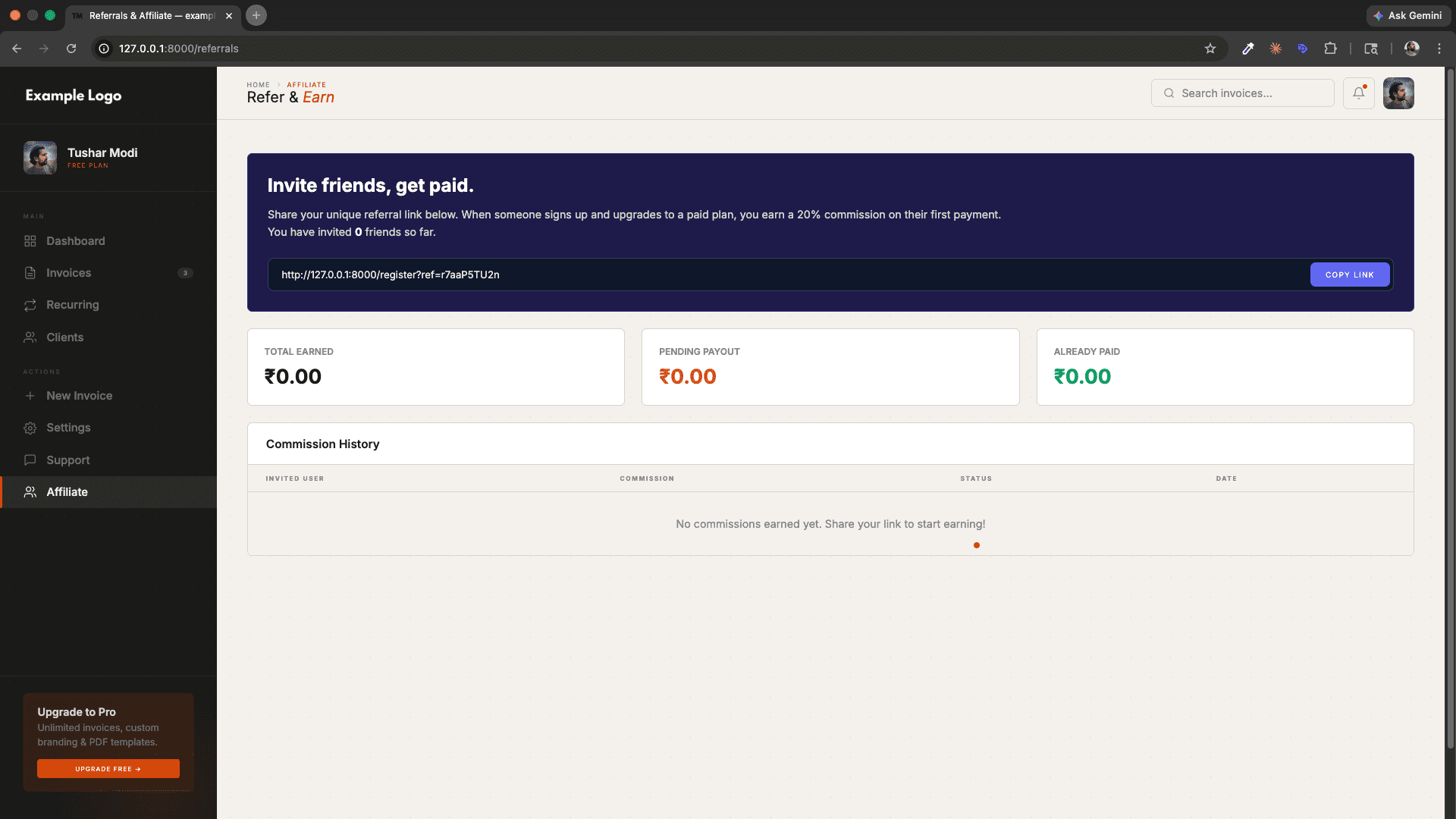
🤝 Referral & Affiliate System
- Unique Referral Code — Every user gets a unique referral code on registration.
- Referral Tracking — Track who referred whom via
referred_byfield on the user. - Commission Management — Admin can view referral commissions and mark them as paid.
- Referral Dashboard — Users can view their referral link, referred users, and earned commissions.
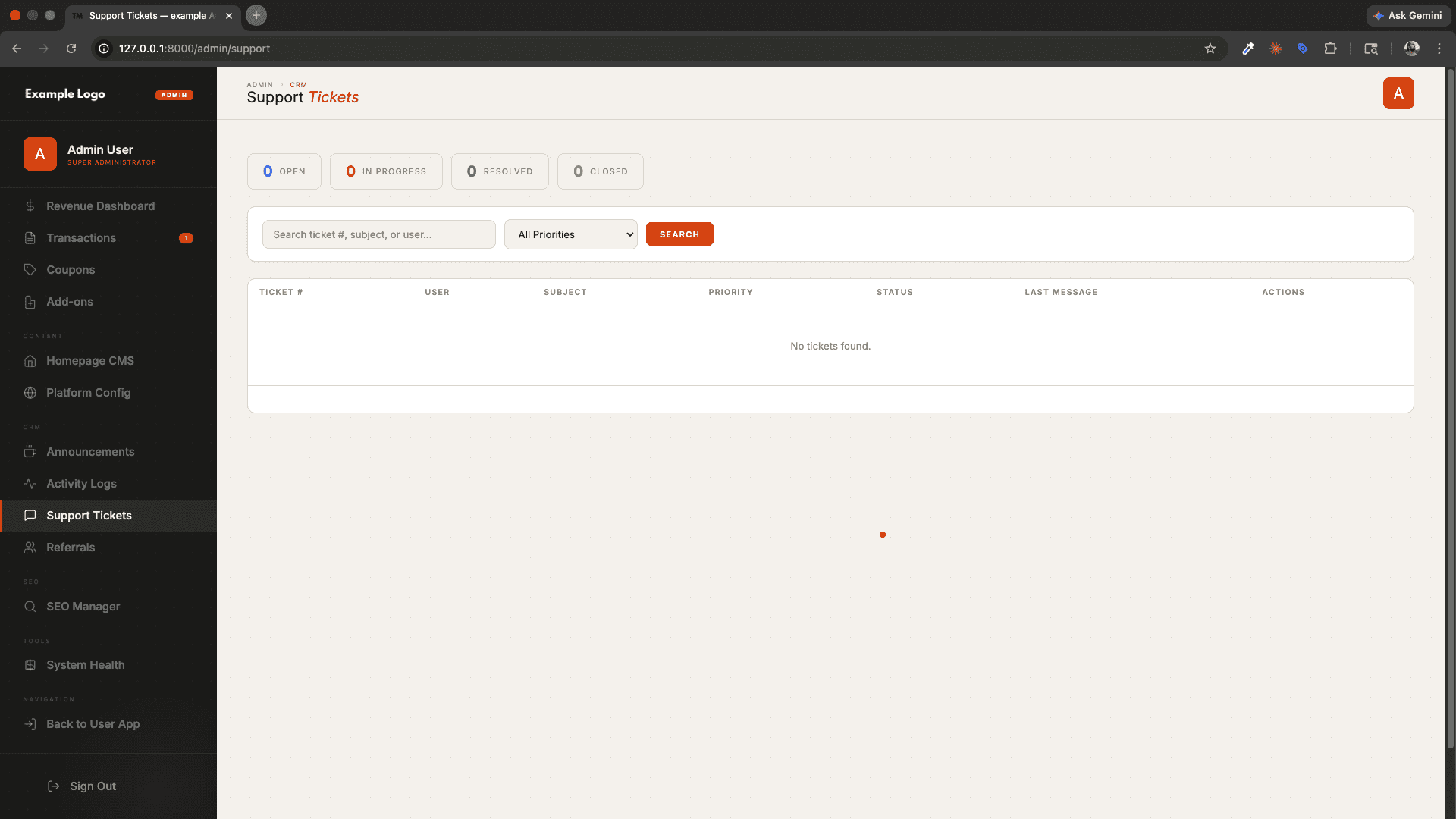
🎫 Support Ticket System
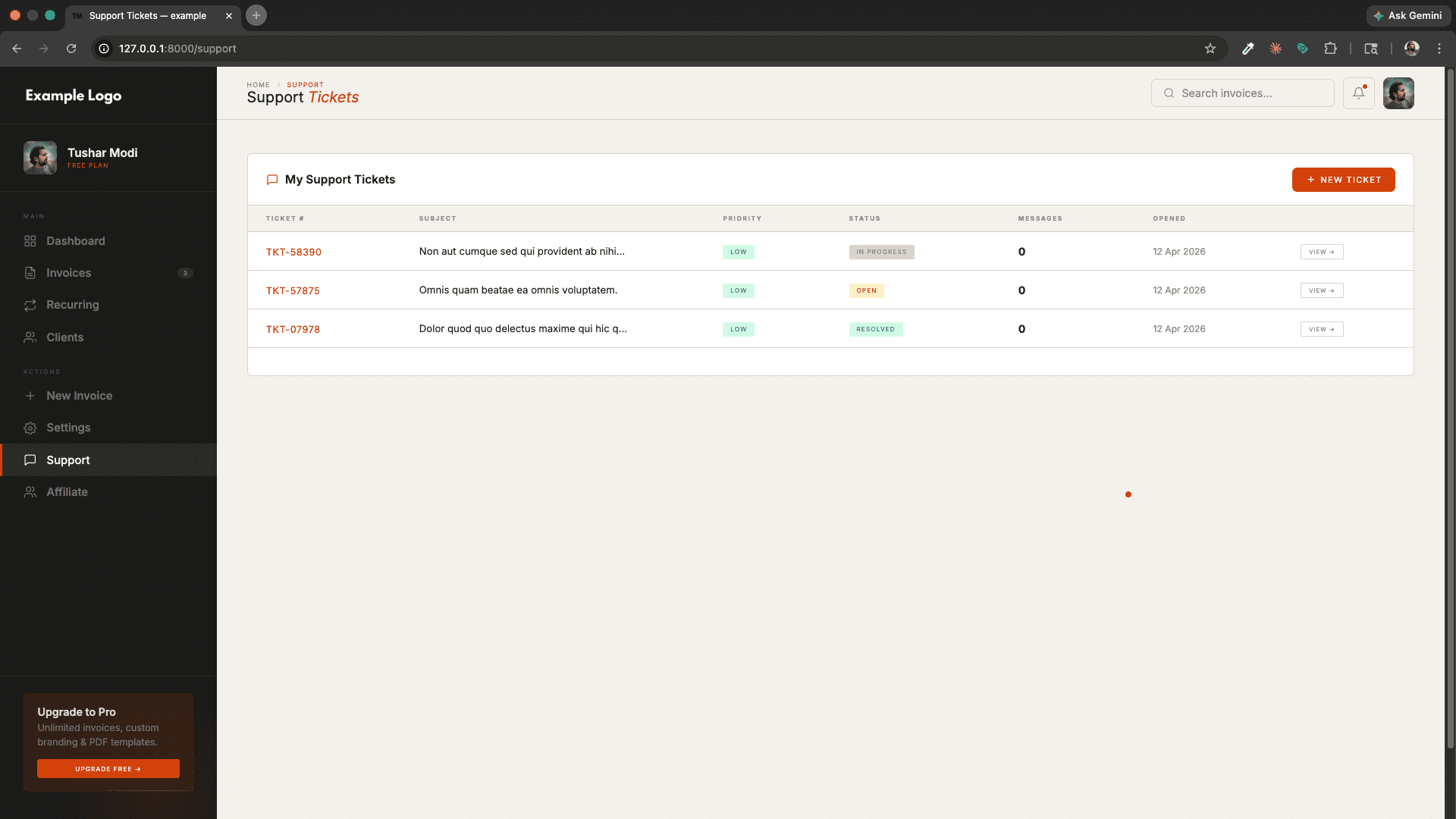
- User Side — Users can open support tickets with a subject and priority (high / medium / low).
- Admin Side — Admins can view all tickets, reply to them, and update ticket status.
- Ticket Statuses — Open, In Progress, Resolved, Closed with color-coded badges.
- Threaded Replies — Full message thread between user and admin per ticket.
- Ticket Numbers — Auto-generated unique ticket numbers (e.g.,
TKT-00001).
📢 Announcements (CRM)
- Admin Broadcasts — Admins can create announcements visible to all users.
- Toggle Active/Inactive — Enable or disable announcements without deleting them.
- Rich Content — Announcements support custom messages for maintenance notices, feature launches, etc.
📋 Activity Logs (Audit Trail)
- Full Audit Trail — Every important action (invoice created, client deleted, payment received, etc.) is logged.
- User Attribution — Each log entry records which user performed the action.
- Admin Visibility — Admins can browse and search the full activity log from the admin panel.
🔐 Authentication & Security
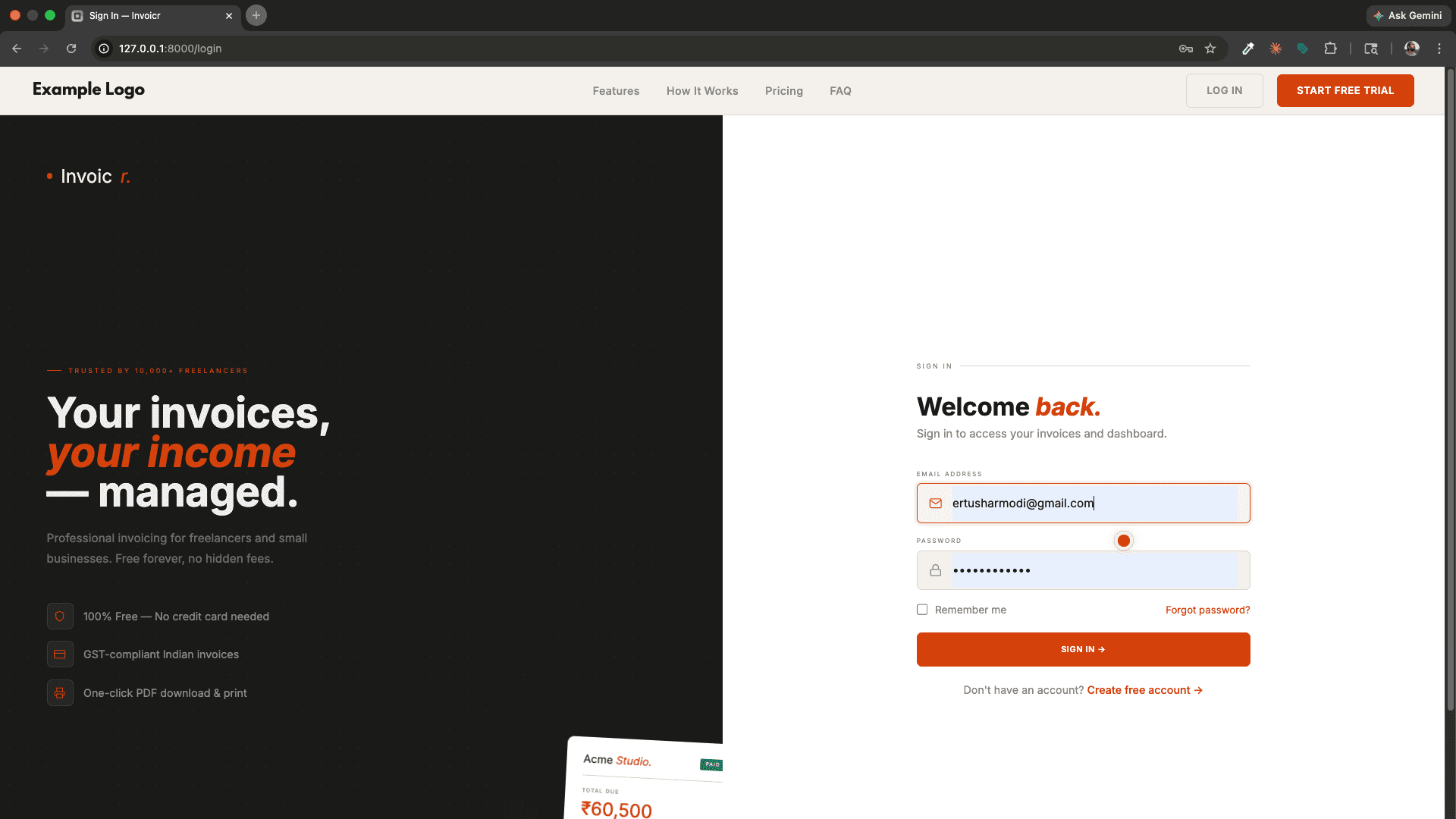
- Registration & Login — Secure email/password authentication with throttling.
- Email Verification — New accounts must verify their email before accessing the platform.
- Password Reset — Forgot password flow with secure email token reset links.
- Rate Limiting — Login, register, and password reset are throttled to prevent brute-force attacks.
- User Impersonation — Admins can securely log in as any user to debug or assist them, with an automatic expiry.
- Account Banning — Admins can ban/unban users with a reason; banned users are shown an informative message on login.
- Security Headers — Middleware adds
X-Content-Type-Options,X-Frame-Options,Referrer-Policy,Permissions-Policy, andStrict-Transport-Securityheaders on all responses. - CSRF Protection — All forms are protected by Laravel's CSRF tokens. Razorpay webhook is whitelisted.
- Policy-Based Authorization — Invoice, Client, and RecurringInvoice access is gated with Laravel Policies.
- Multi-Tenant Scoping — A global
TenantScopeensures users can only see their own company's data (invoices, clients, etc.). - Signed URLs — Email verification uses signed, tamper-proof URLs.
📧 Email Notifications
- Invoice Email — Send a formatted invoice email to the client with invoice details.
- Broadcast Mail — Admin can send announcement emails via the BroadcastMail job.
- Queue Support — Invoice emails are dispatched via Laravel queues (
SendInvoiceEmailJob) to avoid blocking requests.
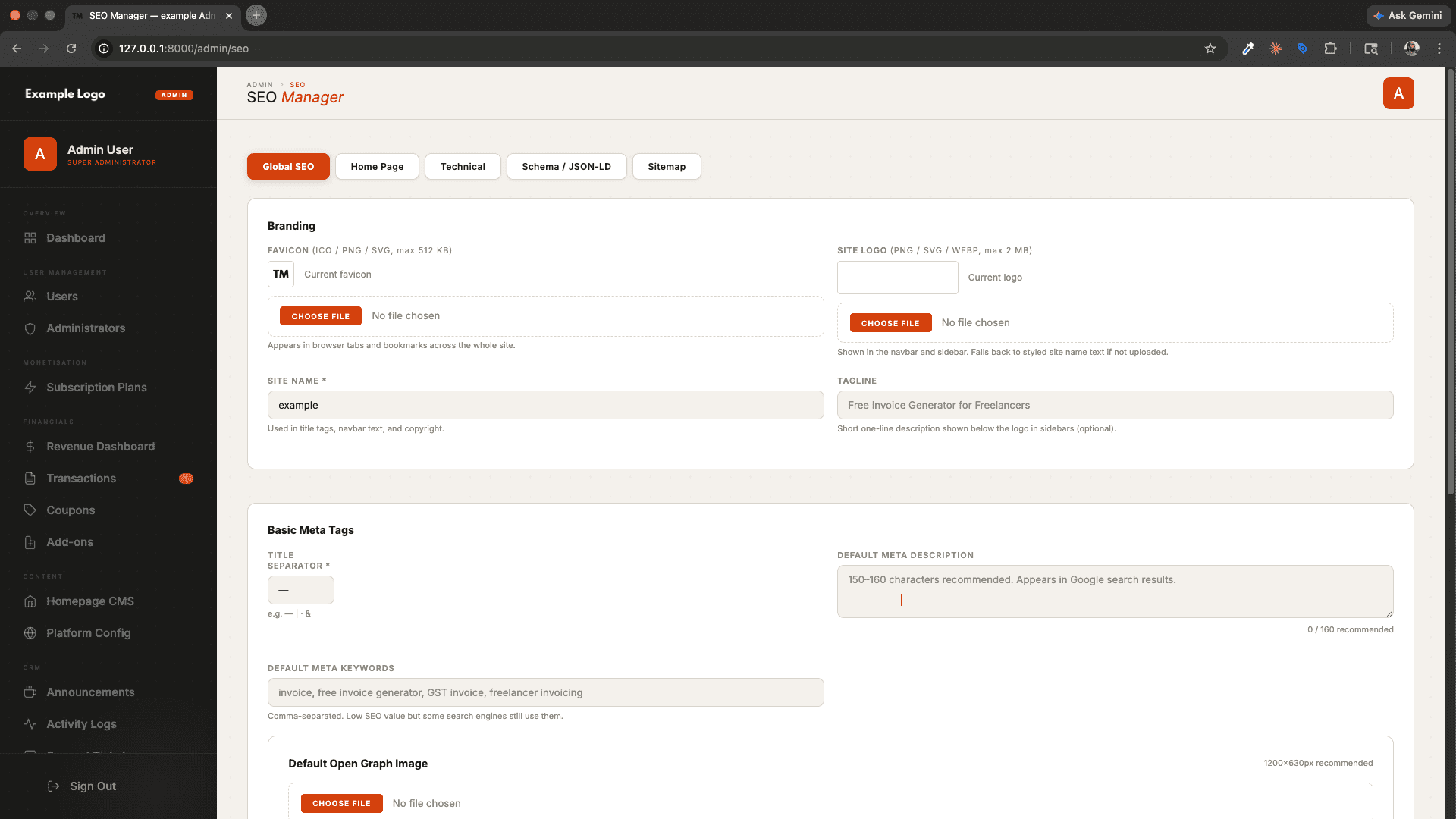
🗺️ SEO & Public Pages
- Dynamic Sitemap — Auto-generated
/sitemap.xmlfor search engine indexing. - Dynamic robots.txt — Serve
robots.txtcontent from the database (configurable by admin). - Meta Tags — Admin-managed SEO meta title, description, and Open Graph tags per page.
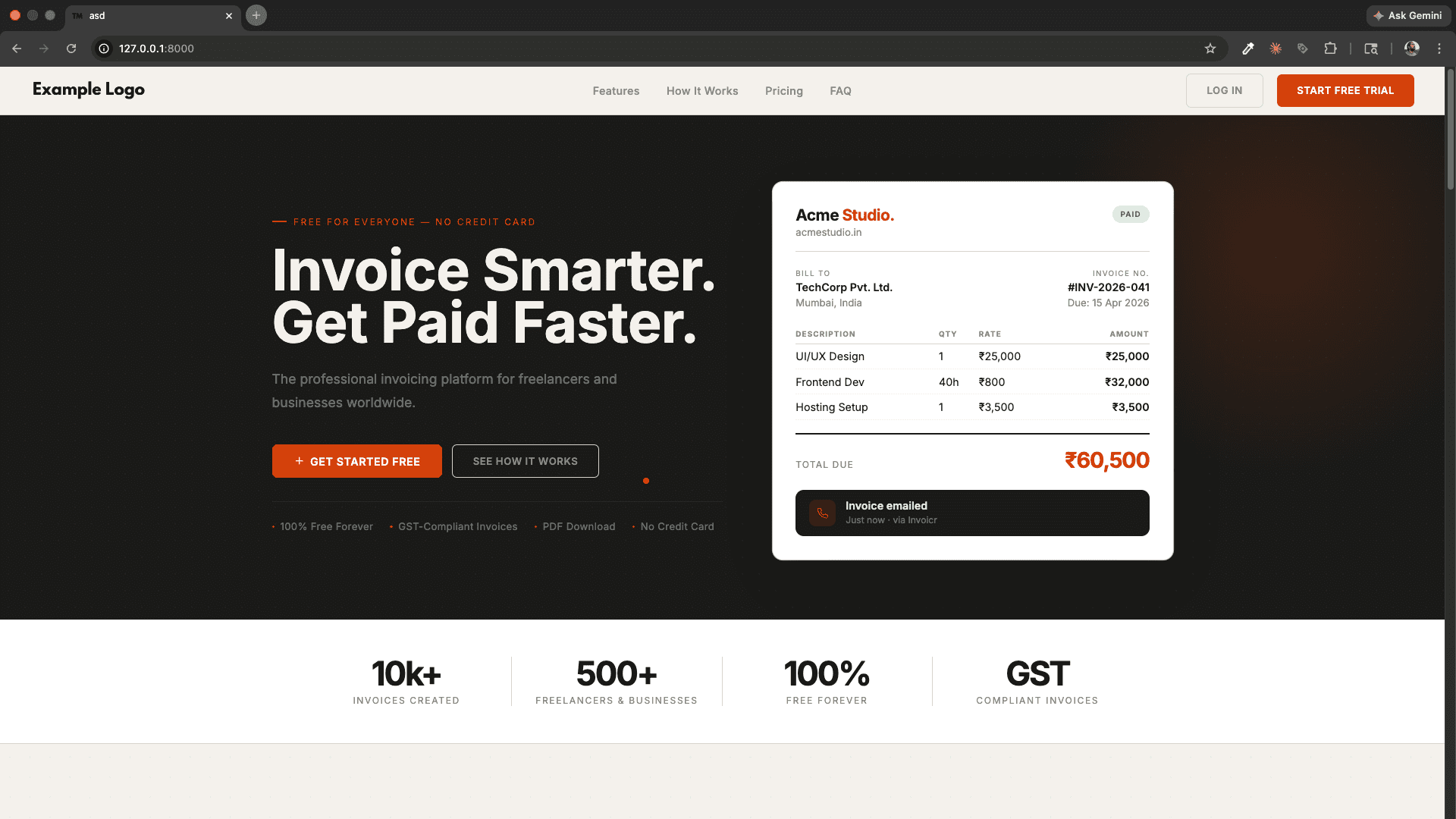
- Public Landing Page — A marketing homepage with features, pricing, and CTA sections.
Features
Everything You Need.
Invoice Management
Recurring Invoices
Online Payments via Razorpay
Client Management
Dashboard & Analytics
Company & Profile Settings
Subscription & Billing System
Referral & Affiliate System
Support Ticket System
Announcements (CRM)
Activity Logs (Audit Trail)